Page 22 of the Blackmagic URSA Cine Immersive has a quick blurb about the Traffic lights
To the right of the histogram is an indicator that shows when individual color channels clip.
Typically, you should avoid clipping any channels. There are, however, scenarios when it’s acceptable to clip your image if it helps you to preserve the image’s midtones and shadows.
See below for a loupe showing where the traffic lights are under Shutter set to 270° and ISO 800. This configuration facing the sun with ND 0 makes the traffic lights go on.
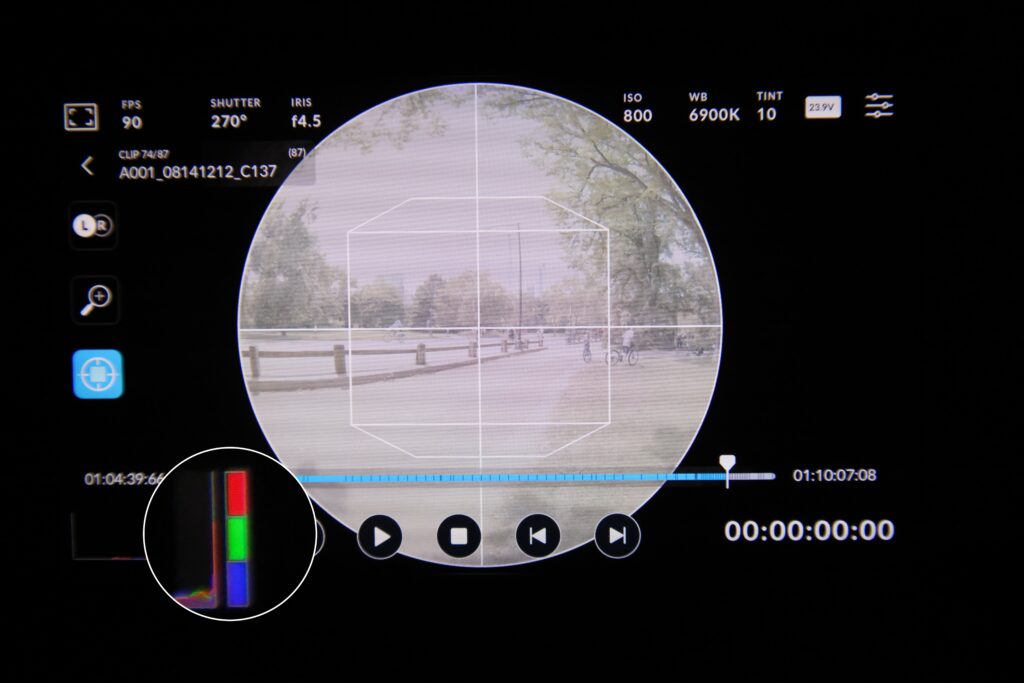
So what are the traffic lights? These indicators show color channels, Red, Green, Blue, that are being clipped. They DO NOT mean Go, Caution, Stop. Nope.
Labels are hard, but once you learn traffic lights aren’t actually like traffic lights, it’s easy to remember to check them and know what they mean. If they are lit up, it should raise an immediate alarm of maybe something is really wrong and data is being lost.
This manual shoves so much value into page 22 with this next paragraph.
Expose to the Right is a technique where you deliberately overexpose an image by pushing the histogram as far to the right as possible without clipping color channels. This maximizes signal and minimizes noise. As long as the exposure is lowered in post, this is an excellent way of producing clean images!
There is an exclamation mark! The only other exclamation I found in the manual (brief scanning, not thorough) was when they welcome you to the camera and the manual! So this must be important.
And it is, Expose to the Right combined with making sure your traffic lights aren’t on, with a node tree color space to color correction to standard NR and then ultra NR is yielding some great results! Maximizing signal and minimizing noise ++
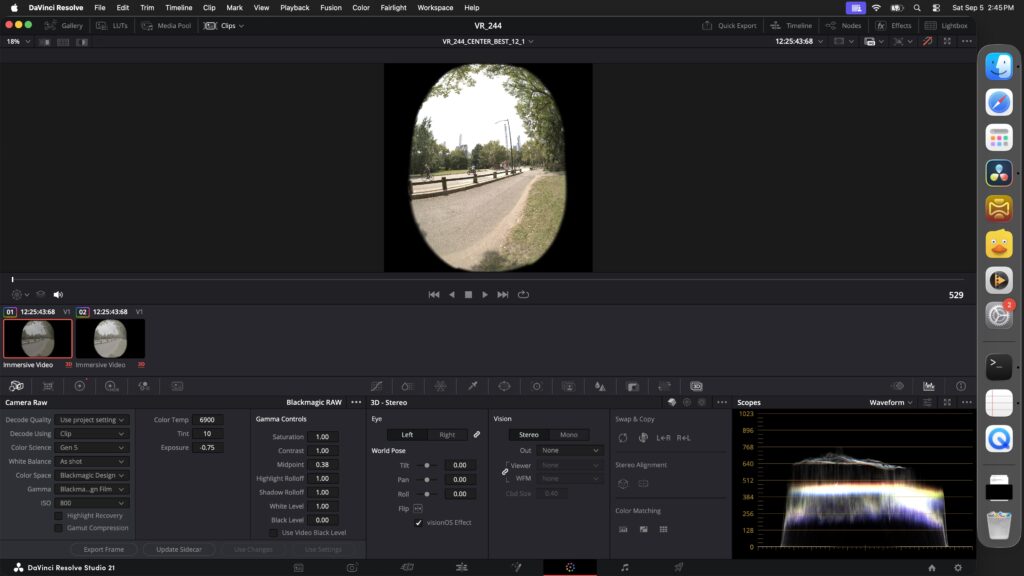
See an image that is ETTR below:
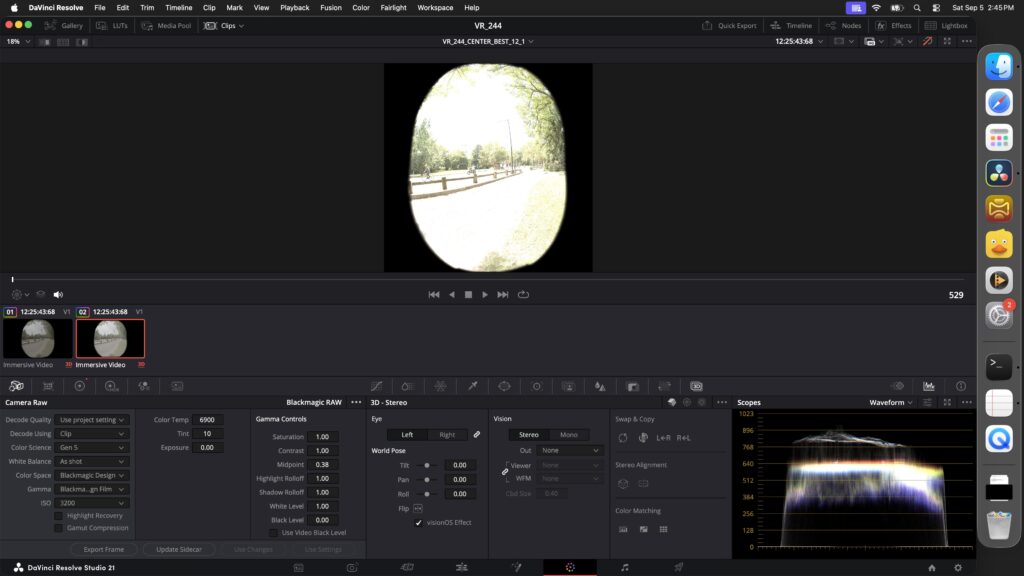
and then in camera raw the exposure is brought down and now we have a good base image to extract further from. note the -0.75 exposure.