Apple lifted the veil on Static Foveation, an important ingredient to image quality in AIV.
The camera captures 8160×7200 per eye, but frames stream at 4320×4320 per eye. Static foveation is about distorting the original fisheye projection to preserve the pixels per degree (PPD) around the center of the image, at the expense of details at the edges. The parameters of static foveation are encoded into the video’s metadata track for seamless unwarping at playback time.
It is strongly suspected static foveation was used in all of Apple’s AIV videos, where it was achieved programmatically, which is part of why those videos still look sharper than Blackmagic URSA Cine Immersive-made videos.
Watching the YouTube will take a second, so these notes on Anthony’s blog is greatly appreciated.
Static Foveation which Mike Swanson talked about almost a year and a half ago is now being surfaced on the Apple presentation.
What a cool concept!
Behind the scenes here at Visit NYC some new developments:
First comes out images after color correction through Adobe Premiere Pro after export from EOS VR Utility from Canon R5C
Frames are now 4096 per eye
Images are uploaded to a in-house “cloud” based upscaling process that now stores the before & after upscaled images. This uses workers rented from Vast.ai, specifically A4000 running a RealESRGAN 2x
Frames are now 8192 per eye
A Mac OS CLI program is used to stitch together the final MV-HEVC from the individual frames
Frames output configurable in the CLI
This new static foveation can now be applied in the CLI program to do the transfer. We have been using the CLI program for videos that were uploaded in the last “16K” round of releases.
The Foveation effect would be rather moot from a 4096x image, because if we foveate, there isn’t really extra pixels to give us more resolution in the center. From a 4096x video we would get a 2048x which isn’t what we want.
However, because we scale up to 16k (8k per eye), the 16k file can be used to draw left and right at 4096x.
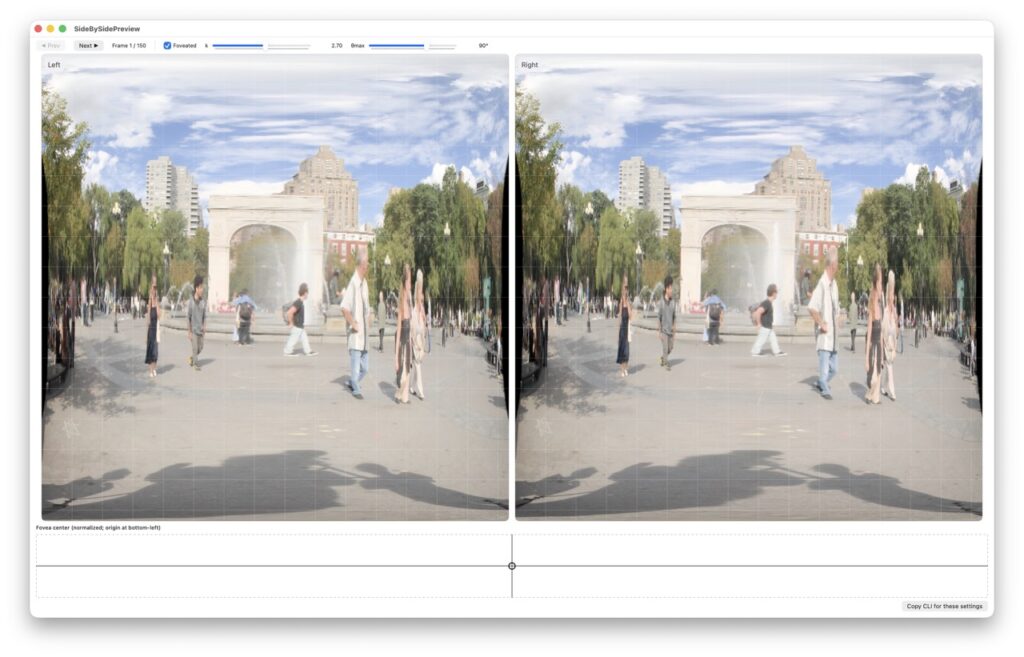
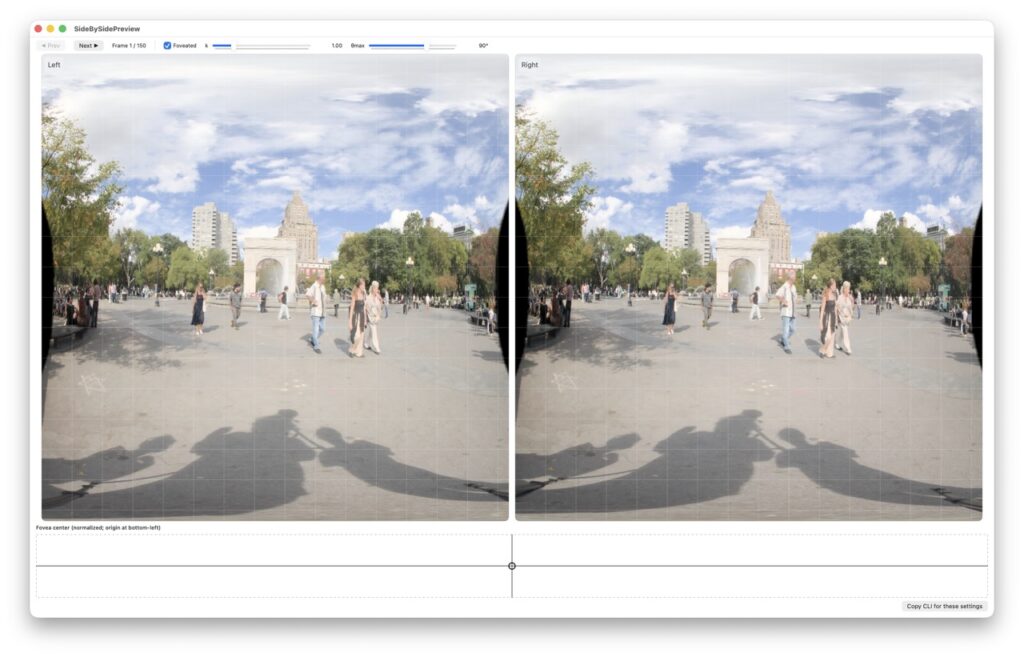
From there, a Mac OS CLI program and GUI is used to show the foveated (?) image. Is the foveation knob how much you want to “foveate” the center of the image, e.g. dedicate 2x more pixels to the center than the edges.
This resolves my issue from Before with the Dumbo videos where the image is mostly rocks, and almost no Brooklyn Bridge.
Here are some screenshots, hopefully this process will yield smaller lower resolution but higher perceptible quality.
This goes from a 2 and 1 in k value of foveated. Note how the arch gets larger.
ScreenshotScreenshot
Doing tests with these files in the app with the proper video sphere changes in Apple Vision Pro … this is the perception test again. Some videos are looking sharper, yes, I agree. Some of it … the upscaler is at fault again. RealESRGAN does not do anything with certain types of brush and trees?